FAQ – Accelerated Marketplace Payment
Last updated: July 6, 2026
Here are all the explanations on how the Accelerated Payment, the advances, the Marketplace payouts and the Hero commissions, as well as a guide to correctly read your client space.
📊 1. Understand the main "Accelerated Payment" screen
At the top of the page, three key indicators:

Indicator | What it means |
|---|---|
Exposure | The total amount that has been advanced to you and that has not yet been repaid — that is, what you have left to repay to date |
Cumulative payments | The total of all advances created since the beginning of your relationship with Hero, across all marketplaces, excluding fees |
Cumulative advances | The same total, but this time including Hero fees |
💰 2. How does an advance (AP – Accelerated Payment)?
Step 1 — Creation of the advance
On the main screen, you see the advance amount appear in the "Accelerated Payments" list.
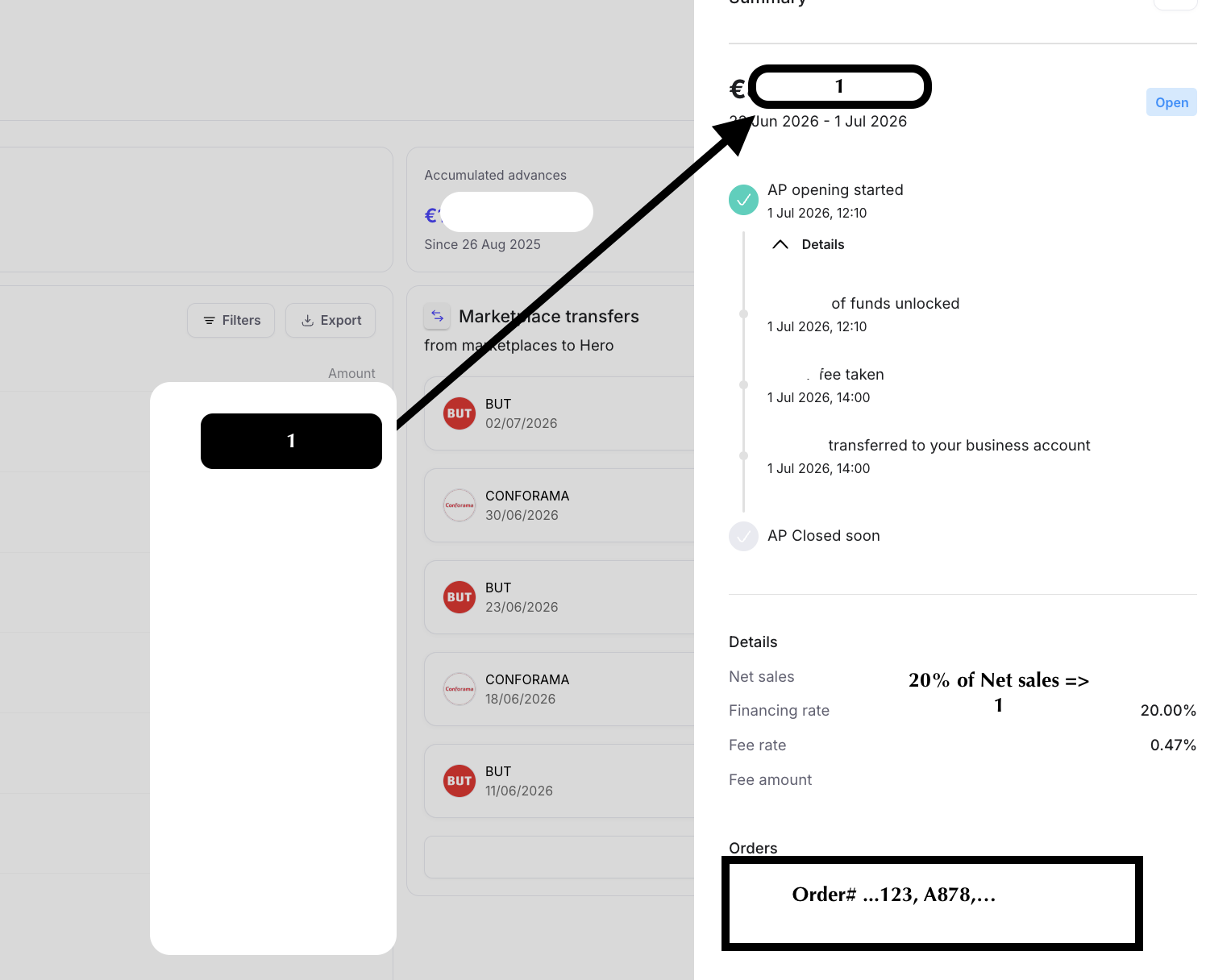
👉 To see the full detail (financed percentage, Hero fees, transfer fees), click on the advance line, then on the small arrow "Details".
Step 2 — The operation flow
Each advance follows 3 steps:
🔓 Fund unlocking — an amount is released as part of a financing operation related to your orders
💸 Fee deduction — Hero fees are deducted, according to the applicable rate
✅ Net transfer — the remaining net amount is transferred to your professional account, which closes the operation
Step 3 — The detailed figures
When clicking on a line of an advance, you find:
The total amount released at the opening of the AP, on such date
The financing fee rate applied (e.g.: 20%) and the fee amount corresponding
The net amount transferred to your professional bank account
The net sales for the period concerned, which serve as the basis for calculation
The order numbers concerned by this advance
🔹 3. Payments received from the Marketplace
These amounts correspond to the transfers initiated by each funded Marketplace.
What are they for? Each Marketplace payment serves to close your advances (AP), in accordance with:
your Average Payment Delay (DSO)
your Hero exposure (the total of your debt must remain below the displayed balance, with a coverage ratio usually around 80 %)
How to know that an advance is repaid? The status of the advance changes to "Closed" ✅
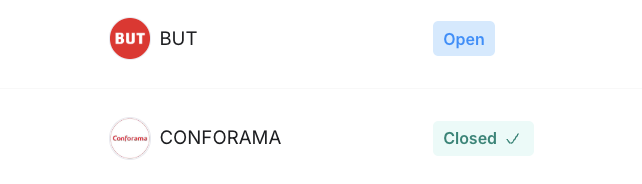
How to see the details of the closure? Click on:
the advance line concerned, and
the Marketplace payment line corresponding — it recalls the reference of the AP and the amount
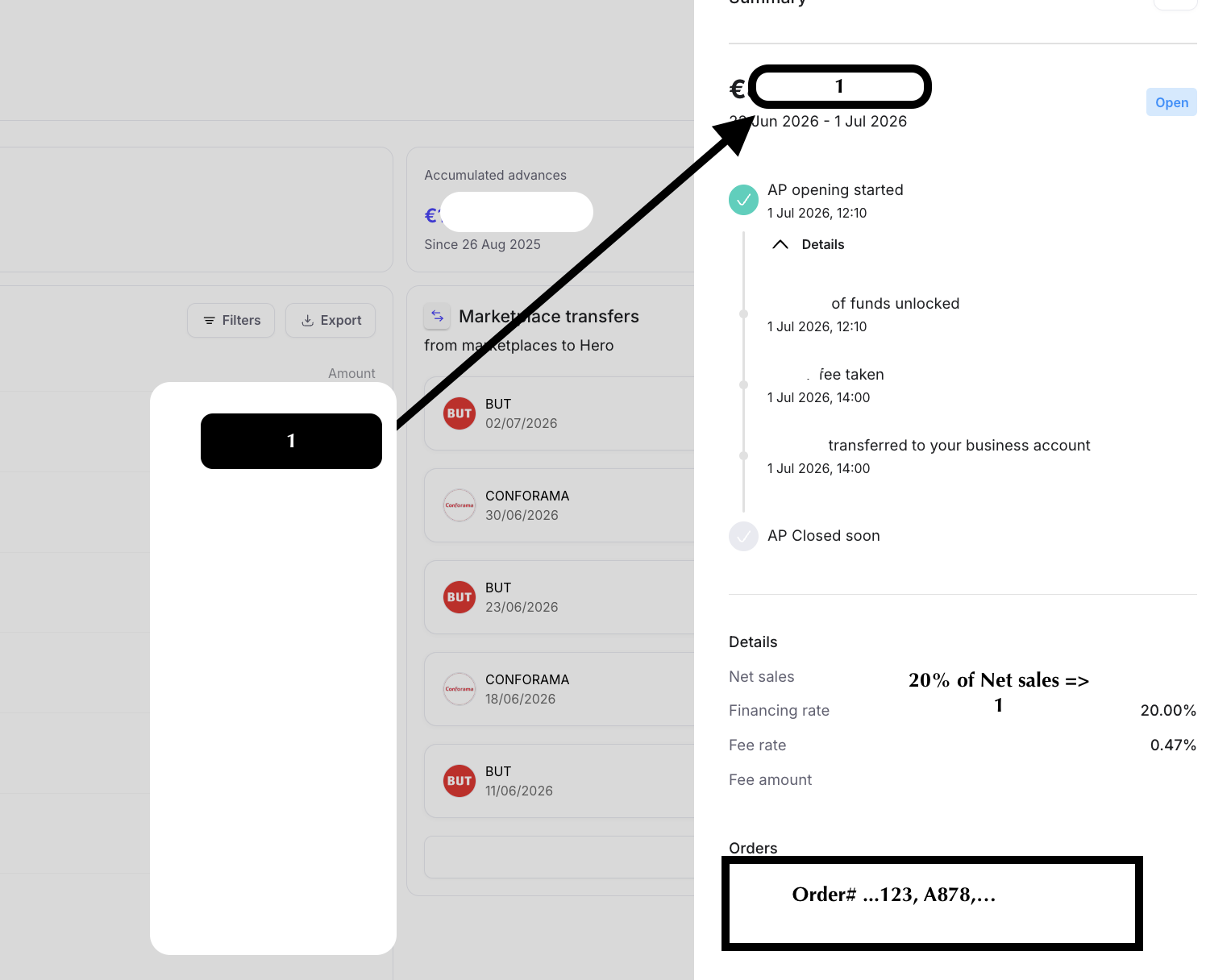
💡 In case of overpayment (overpay/amount to be refunded to you), it is also indicated here.
💼 4. Hero commissions and advances
The Hero commission applies only on daily advances (based on the previous day's sales, J-1)
❌ No Hero fees are applied on the received transfers, initiated by the Marketplace
By clicking on a daily advance line, you access:
The funded orders (based on the list provided by the marketplace, e.g.: BackMarket)
The deducted commission
The funding rate applied
📤 5. Accounting export
The accounting export is downloadable from: Funding > Accelerated Payment > Export 📥
Meaning of labels
Label | Meaning |
|---|---|
| Creation of your advances |
| Payment received from the Marketplace |
| Reconciliation — closure of advances |
| Excess amount refunded to your Hero bank account |
🧭 6. In summary: the journey of your funds
On the page Accelerated Payment, you follow the entire path:
🔓 Creation of advances (AP)
🔁 Reconciliation with Marketplace payments
📋 AP status: open or closed
On your Hero bank account, you will find:
The Deposits and Excesses refunded
Your account statements bank